DTA Configuration
The Queue View Restriction panel (accessed using the storm Contact > Agent Groups > Add Agent Group menu option described in the UC and CONTACT Configuration Guide) allows you to restrict which queues members of an agent group will be able to see information for in DTA when they use the Queue View button.
The default setting is that members of the agent group will be able to see information for all queues.
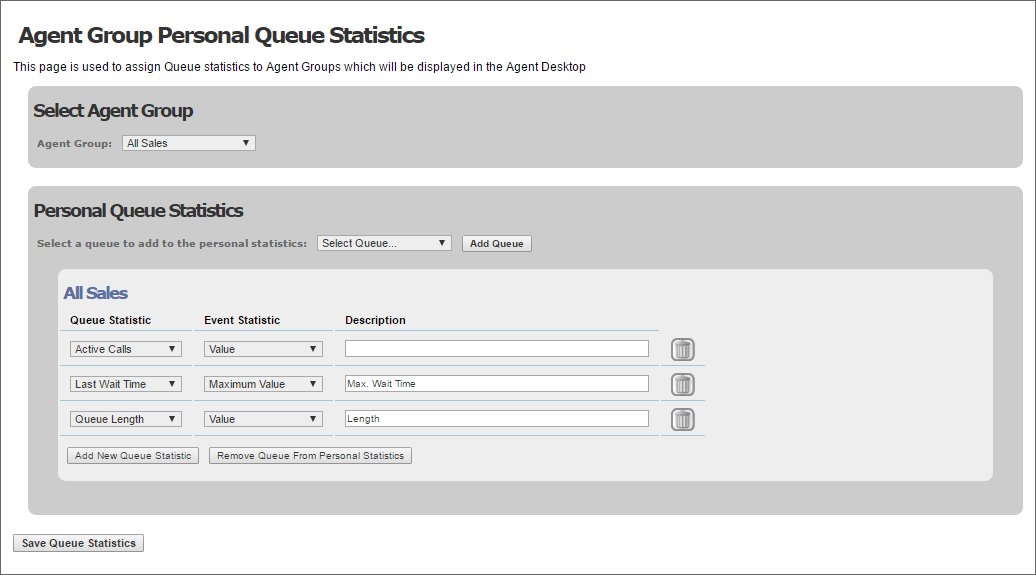
You can configure which queue statistics will be displayed to agents in DTA using the storm Contact > Agent Groups > Personal Queue Statistics menu option described in the UC and CONTACT Configuration Guide.
Agents can be given the right to use DTA to opt out of membership of an agent group (and any other groups they belong to). If an agent opts out of an agent group, they remain a member of that group, but the system ceases to route calls to them until they opt back in.
This is controlled using the Allow Agents to Opt-out setting in the Agent Group Settings panel (accessed using the UC and CONTACT's storm Contact > Agent Groups > Add Agent Group menu option)
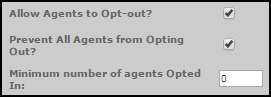
These settings operate at agent group level, and can be used to ensure that, while agents can opt out of the group, a minimum number of opted-in agents is enforced.
if your organisation implements agent opt-out functionality, ensure agents are assigned extensions or direct-dial numbers to allow them to receive calls while they are opted out of agent groups.
To assist your organisation in meeting Ofcom requirements in the UK that, once a call has started ringing, it should ring for a minimum of 15 seconds before it can be terminated, storm allows you to specify that the Disconnect button should be hidden for a specific number of seconds after an OUTBOUND call begins ringing.
This is controlled using the Hide Hangup Button in the General Settings panel (accessed using STUDIO's Service Configuration > UC and CONTACT Admin > Services > View Service Types menu option).
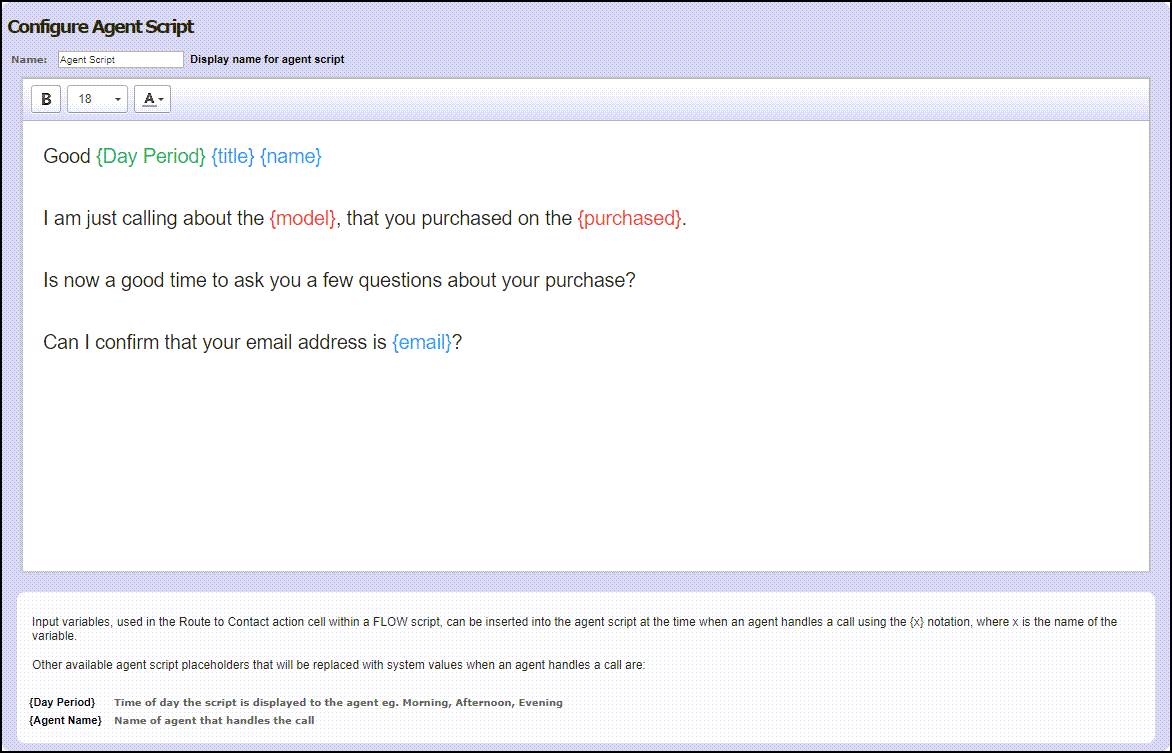
OUTBOUND allows you to set up scripts that are presented to agents via the DTA interface as they process calls. Each script is set up as a combination of free-format text, standard parameters, and parameters provided by the FLOW script used to route the call.
Once a script has been created, it is then associated with the queues that will use it.
DTA scripts are set up using the storm Contact > Organisations > Agent Scripts menu option described in the UC and CONTACT Configuration Guide.